Template for Product Catalogue: A Practical India Guide
Template for Product Catalogue: A Practical India Guide
If you run a shop in India—whether it's a saree store in Surat, an electronics counter in Chennai, or a home-baking business in Pune—you already know that customers ask for photos before they buy. A good template for product catalogue turns those scattered photos into a clean, repeatable format that looks professional and shares easily on WhatsApp.
This guide walks you through what a catalogue template actually is, how to structure one for the Indian market, and how to keep it updated without starting from scratch every festival season.
[IMAGE: A clean product catalogue page showing four sarees in a grid with prices, brand logo, and WhatsApp number, designed in warm festive colours]
What Is a Template for Product Catalogue?
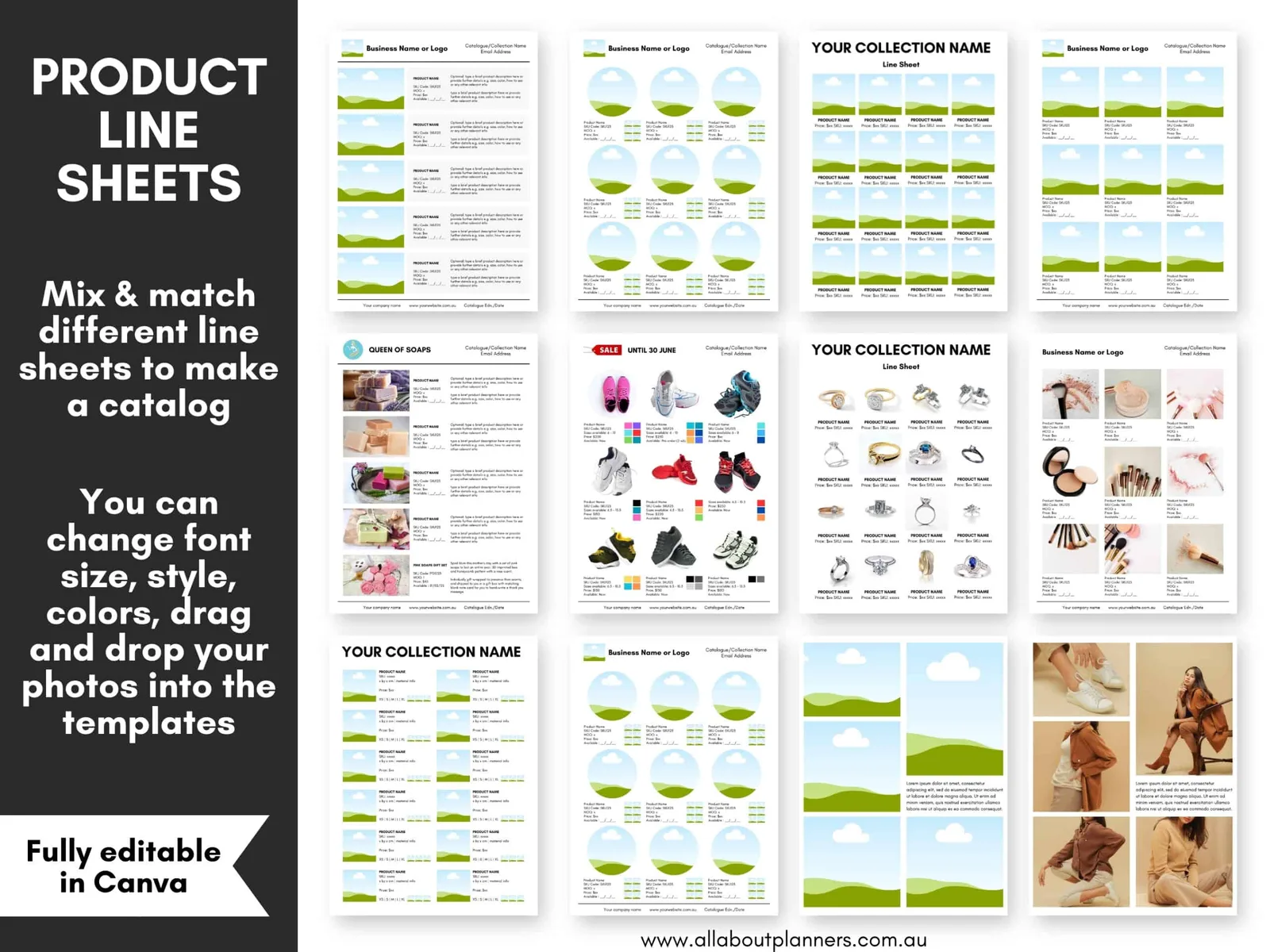
A template for product catalogue is a reusable layout that decides how each product appears—its photo, name, price, and details—so every item looks consistent. Instead of designing each page fresh, you drop new products into the same frame.
Think of it like a form you fill in. Once you fix the position of the photo, the space for the price, and where your shop name sits, every new product slots into place. This consistency is what makes a catalogue look trustworthy rather than thrown together.
For Indian retailers, this matters because most catalogues get viewed on a phone screen, often forwarded through WhatsApp groups. A predictable layout means customers instantly find the price and the product name without squinting or scrolling awkwardly.
What Should Every Product Catalogue Template Include?
Every product catalogue template should include a clear product photo, the product name, the price, and a way to contact or order. These four elements are the non-negotiable core.
Beyond the basics, add a short description line—fabric type, size options, warranty, or ingredients depending on your category. One line is enough; nobody reads paragraphs on a catalogue tile.
Include your branding in a fixed spot: your shop logo, a colour accent, and your WhatsApp number or UPI handle. Because catalogues get forwarded far beyond your original contact, your details need to travel with every page.
Finally, leave room for a small offer badge—"Festive Offer," "New Arrival," or "Only 2 Left." This nudges urgency without cluttering the design.
[IMAGE: A single product tile template with labelled zones—photo area, name, price, description line, offer badge, and contact strip]
How Do You Structure a Catalogue for WhatsApp Sharing?
Structure your catalogue as individual square or vertical images rather than one long document. WhatsApp compresses and displays single images far better than PDFs, and customers can forward one product without sending the whole file.
Use a 1:1 square (1080x1080) or a 4:5 vertical for each product. These ratios fill the phone screen cleanly and match how Instagram and WhatsApp Status display images, so the same file works across channels.
Group related products into small sets—say, five kurtas per message—so a customer scanning a WhatsApp broadcast sees a tidy series instead of one overwhelming grid. Keep the same template across the set so the eye moves smoothly from one to the next.
Remember that many customers in smaller towns view catalogues on modest phones with limited data. Keep file sizes reasonable and text large enough to read without zooming.
How Should You Design a Catalogue for Indian Festivals?
Design festival catalogues by keeping your core template fixed and swapping only the colour theme and offer messaging. This lets you produce a Diwali, Raksha Bandhan, or Pongal version in minutes rather than rebuilding from zero.
During Diwali, warm gold and maroon tones signal celebration and gifting, and shoppers expect bundle offers. For Onam or Pongal, cleaner regional motifs and lighter palettes suit the mood. The product layout stays the same—only the seasonal wrapper changes.
Plan ahead of the rush. Festive buying in India often peaks in the weeks before the actual date, so having a template ready means you can push a fresh catalogue the moment demand starts building.
This is where a tool like QuadraPost helps: you upload a real product photo and generate editable campaign options in your brand colours and tone, so a Diwali version and a wedding-season version can share the same base without manual redesign each time.
[IMAGE: Two versions of the same kurta catalogue tile—one in Diwali gold-maroon theme, one in a cool wedding-season palette—shown side by side]
Should You Use a Free Template or Build Your Own?
Use a free template when you are starting out and testing what your customers respond to; build or customise your own once your brand look matters. Both approaches are valid at different stages.
Free templates from design apps get you moving quickly and cost nothing. The trade-off is that many other shops use the same layouts, so your catalogue may look generic and blend in with competitors.
A customised template carries your specific colours, fonts, and logo placement, which builds recognition over time. When a customer sees your tile forwarded in a group, they should know it's yours before reading the name.
The practical middle path is to start with a simple structure, keep it consistent for a few months, and refine the branding as you learn which products and layouts drive the most enquiries.
How Do You Keep a Product Catalogue Updated?
Keep your catalogue updated by treating the template as permanent and the contents as changeable—update prices, stock status, and photos on the same layout rather than redesigning. This is the entire point of using a template.
Set a simple routine. Refresh prices when your costs change, mark sold-out items clearly so customers don't ask about unavailable stock, and add new arrivals as soon as they land.
For seasonal businesses, maintain two or three theme variations of the same template so you can rotate them without effort. A grocery or gifting store, for instance, cycles through several festivals a year and benefits from ready-made seasonal skins.
Because QuadraPost outputs editable image and video options rather than flat files, you can adjust a price or swap a product photo and regenerate the campaign, which keeps the update cycle short during busy periods.
[IMAGE: A before-and-after of a catalogue tile—original with old price, updated with new price and a 'Sold Out' badge on one variant]
What Common Mistakes Should You Avoid?
The most common mistakes are cluttered layouts, missing prices, and low-quality photos. Any one of these can turn a promising catalogue into something customers scroll past.
Don't cram too much onto one tile. When every inch has text, badges, and multiple products, the eye has nowhere to rest and the message gets lost. White space is not wasted space.
Always show the price or a clear "DM for price" line. Hiding prices frustrates buyers and adds friction; most Indian shoppers comparing options on WhatsApp simply move on if they can't see the cost.
Avoid inconsistent branding across pages. If your logo jumps around and your fonts change between tiles, the catalogue feels unreliable. A fixed template solves this automatically, which is exactly why templates are worth the initial setup effort.
Bringing It Together
A strong template for product catalogue is less about fancy design and more about consistency, clarity, and easy sharing. Fix your layout, include the four essentials—photo, name, price, contact—optimise for WhatsApp, and keep seasonal variations ready.
Start simple, stay consistent, and let your catalogue do the selling while you focus on running the shop.
Ready to build a catalogue that looks professional and updates in minutes? Upload a real product photo and generate editable, brand-matched campaign options for every festival and season. Create your campaign on QuadraPost.
FAQ
What size should a product catalogue image be for WhatsApp?
A 1:1 square (1080x1080 pixels) or a 4:5 vertical works best. These ratios fill the phone screen cleanly, display well on WhatsApp and Instagram, and keep text readable without zooming, even on modest phones.
Do I need a separate template for each festival?
No. Keep one core template fixed and swap only the colour theme and offer messaging for Diwali, Pongal, or wedding season. This lets you produce festival versions in minutes instead of redesigning from scratch.
Should I include prices in my product catalogue?
Yes, showing the price or a clear 'DM for price' line reduces friction. Most Indian shoppers comparing products on WhatsApp will move on if they can't quickly see the cost, so hiding prices usually loses enquiries.
Is a free catalogue template good enough to start?
Yes, free templates are fine when you're starting out and testing what customers respond to. The trade-off is a generic look, so customise your branding—colours, logo, fonts—once building recognition becomes important.