Razz Suman AI Photography: A Practical India Guide
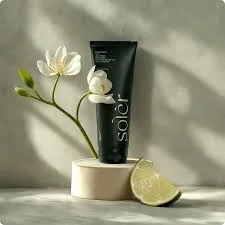
If you run a shop in India and sell online, you've probably searched for ways to make your product photos look polished without hiring a studio. "Razz Suman AI photography" is one of the search terms people use when hunting for that clean, AI-enhanced product-image look. This guide explains what that style actually involves, how AI for photography editing works in plain terms, and how a small retailer in Surat, Jaipur, or Coimbatore can produce campaign-ready visuals on a realistic budget.
The goal here is simple: give you a workable process you can start today, whether or not you use any particular tool. Let's get into the practical questions retailers actually ask.
What is Razz Suman AI photography?
Razz Suman AI photography is a search term people use to describe AI-assisted product and portrait photography styles, where software cleans up, relights, and restyles ordinary photos into professional-looking images. In practice, it's less about one person or brand and more about a look: crisp backgrounds, even lighting, and consistent styling across a product range.
For a retailer, the useful takeaway is that this look is now reproducible with AI editing rather than a full physical shoot. You photograph your product on your phone, then let AI handle background cleanup, colour balance, and scene styling.
This matters most for catalogues. A saree seller with 200 designs cannot realistically book a studio for each one. AI editing lets you keep a consistent visual identity across the entire catalogue without repeating expensive shoots.
[IMAGE: Side-by-side of a raw phone photo of a kurta on a plastic hanger versus an AI-cleaned version on a neutral studio backdrop]
How does AI for photography editing actually work?
AI for photography editing works by analysing your uploaded photo and then generating edits based on patterns it has learned from millions of images. You give it a real product photo, and it can remove the background, fix lighting, sharpen details, or place the product in a new scene.
The important word is editing, not invention. The best results come when you start with a genuine, in-focus photo of your actual product, because the AI is enhancing something real rather than guessing.
Most tools work in a few steps: upload, choose a style or scene, review the generated options, and export. Some let you tweak brand colours and tone so the output matches your existing packaging or logo.
A tool like QuadraPost fits here specifically for retailers: you upload a real product photo and it generates editable image or video campaign options using your brand colours and tone, so the output stays on-brand rather than generic.
Is AI photography good enough for Indian retail?
For most day-to-day retail needs, yes, AI photography is good enough, especially for online listings, WhatsApp catalogues, and social media ads. Where it still struggles is with extremely fine texture and precise fabric drape, so some categories need more care than others.
Apparel, jewellery reflections, and heavily embroidered work are the tricky ones. AI can sometimes smooth away real detail, so always review generated images at full zoom before publishing.
Simpler categories do very well. Packaged food, homeware, electronics accessories, stationery, and cosmetics often look excellent after AI editing because their shapes are clean and predictable.
The practical rule: use AI editing as your default for volume, and reserve manual retouching for your hero products that drive the most sales.
[IMAGE: A grid of six product categories showing before/after AI edits, labelled by category]
How can I match AI photos to Indian festival campaigns?
You match AI photos to festival campaigns by generating seasonal scene variations of the same product, so one photo becomes many festival-ready visuals. For Diwali you might want warm diyas and marigold tones; for Rakhi, softer pastels; for a summer sale, bright clean whites.
This is where AI editing saves the most money in the Indian calendar. Instead of reshooting your bestsellers for every festival, you regenerate the backdrop and mood while keeping the product identical.
Timing matters in Indian retail. Festival buying happens in short, intense windows, so being able to produce a full Diwali set in an afternoon is a genuine advantage over waiting on a photographer's schedule.
Keep your colours consistent with your brand even during festivals. A festival theme should feel like your shop celebrating Diwali, not a random template. Locking brand colours into the AI output helps here.
[IMAGE: The same box of sweets restyled for Diwali, Rakhi, and a monsoon sale, shown as three panels]
How do I make AI product photos ready for WhatsApp selling?
To make AI product photos ready for WhatsApp, keep them clean, well-lit, and readable on a small phone screen, then export in a square or vertical format. WhatsApp is where a huge share of Indian retail conversations and orders actually close, so your images must survive compression and thumbnail size.
Text overlays help a lot on WhatsApp. A short price tag, discount badge, or product name burned into the image means the customer gets the key information even without reading your message.
Also think in sets. When you share a catalogue on WhatsApp, visual consistency across images signals that you're a serious seller. Mismatched lighting and backgrounds quietly reduce trust.
Short product videos are increasingly effective on WhatsApp Status and Business catalogues. If your tool can turn a product photo into a simple animated or video campaign option, that gives you movement without needing to shoot video.
What does AI photography cost compared to a studio shoot?
AI photography is generally far cheaper than a traditional studio shoot, because you avoid photographer fees, studio rental, model costs, and travel. A physical shoot for a modest catalogue can run into thousands of rupees per session, while AI editing tools usually run on affordable monthly or per-image plans.
The bigger saving is time. A studio shoot involves scheduling, shooting, and waiting for edits, which can take days. AI editing compresses that into the same day, which matters when a sale starts tomorrow.
That said, be honest about limits. AI won't replace a professional shoot for a flagship brand campaign or a lookbook where physical styling is the whole point. Think of AI as your everyday workhorse and studios as your occasional splurge.
For a small or mid-size retailer running regular listings and festival promos, the maths usually favours AI editing for the vast majority of your images.
What mistakes should I avoid with AI product photos?
The biggest mistake is starting with a bad source photo, because AI can only enhance what you give it. A blurry, poorly lit, or cluttered original will produce disappointing results no matter how good the tool is.
Another common error is over-editing. When you push AI too hard, products can look plasticky or unreal, which actually hurts buyer trust. Aim for clean and believable, not artificial.
Inconsistency is a quiet killer too. If every product uses a different background and lighting, your catalogue looks unprofessional. Pick a style and stick to it across your range.
Finally, don't misrepresent the product. Colours should match reality so customers aren't disappointed on delivery, which reduces returns and complaints. AI editing should flatter your product, not create a different one.
[IMAGE: A checklist graphic titled 'Before you export' with four review points]
Putting it together for your shop
Start small and build a repeatable routine. Shoot your products in decent daylight against a plain wall, upload the clearest shots, generate a consistent set of edits, add festival variations when needed, and export sized for WhatsApp and your listings.
Once this becomes a weekly habit, you'll spend less on shoots and respond faster to sales seasons. That responsiveness, more than any single fancy image, is what quietly grows an online retail business in India.
Ready to try it on your own products? Upload a real product photo and generate editable, on-brand image and video campaign options in minutes. Create your campaign with QuadraPost.
FAQ
What is razz suman ai photography?
It's a search term people use for AI-assisted product and portrait photography styles, where software cleans up, relights, and restyles ordinary photos into a polished, professional look that retailers can reproduce affordably.
Can AI photography replace a professional studio shoot?
For everyday listings, WhatsApp catalogues, and social ads, AI editing usually works well and costs far less. For flagship brand campaigns or detailed lookbooks where physical styling is central, a professional shoot may still be worth it.
Do I need a good camera to use AI for photography editing?
No. A recent smartphone photo taken in good daylight against a plain background is usually enough. AI enhances a clear, real source photo, so image quality matters more than expensive equipment.
How do I keep AI product photos consistent across a large catalogue?
Use the same lighting and backdrop style for every product, lock in your brand colours and tone, and generate images in sets rather than one at a time so your whole catalogue looks unified.