Free AI Photo Editor Online: A Practical Guide
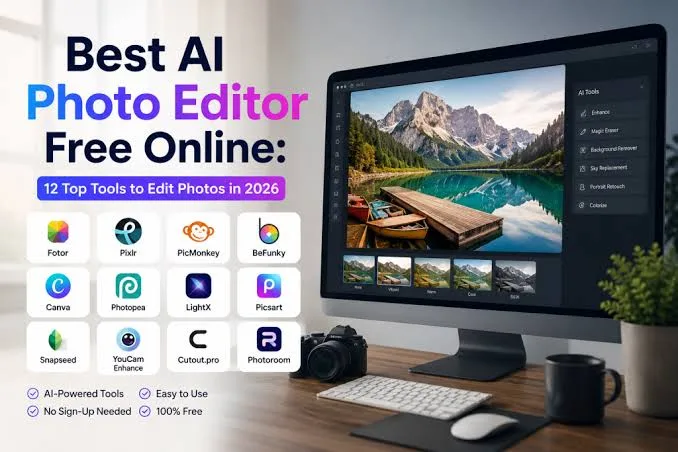
Free AI Photo Editor Online: A Practical Guide
Product businesses live and die by their visuals. A sharp, clean photo can be the difference between a scroll-past and a sale—whether you're listing on a marketplace, posting to social, or sending a promo email. The good news: you no longer need expensive software or a trained designer to get there.
A free AI photo editor online can remove messy backgrounds, brighten dull lighting, and restyle product shots directly in your browser. This guide walks through what these tools actually do well, where they fall short, and how to use them without wasting time.
[IMAGE: Before-and-after split of a cluttered product photo transformed into a clean, bright studio shot]
What is a free AI photo editor online?
A free AI photo editor online is a browser-based tool that uses machine learning to edit images automatically—no download, no subscription required for core features. You upload a photo, pick an action like background removal or lighting cleanup, and the tool returns an edited version in seconds.
The "AI" part matters because it handles tasks that used to take manual skill. Instead of carefully tracing around a product with a selection tool, the model detects the subject and separates it from the background on its own.
For product sellers, this collapses hours of design work into a few clicks. A single afternoon's worth of listing photos can be cleaned up during a coffee break.
What can a free AI photo editor actually do?
Most free AI photo editors handle a predictable set of tasks well: background removal or replacement, lighting and color correction, upscaling low-resolution images, and object cleanup. These cover the majority of what a small product business needs day to day.
Background removal is the headline feature. You can drop a product onto a pure white background for a marketplace listing, or swap in a lifestyle scene for social media—for example, placing a candle on a cozy wooden table.
Lighting and color correction fixes the most common amateur mistakes: yellow indoor lighting, flat shadows, or a product that looks duller than it does in real life. The AI nudges exposure and white balance toward something that reads as "clean" and professional.
Upscaling is useful when your only photo is small or grainy—say, an old supplier image. The tool reconstructs detail so the image holds up at larger sizes without looking pixelated.
[IMAGE: A single product shown on three backgrounds—white, marble, and a festive seasonal scene]
How do you edit a product photo step by step?
Start by uploading your clearest original photo, then apply one edit at a time so you can judge each change. Working in small steps prevents the "over-edited" look where a product no longer resembles the real thing.
First, remove or clean the background. Decide whether you want pure white for a catalog listing or a styled scene for social channels, and pick accordingly.
Second, correct the lighting. Brighten the image just enough that the product's true colors show, and check that no detail is blown out to pure white in the highlights.
Third, add context if the platform rewards it. A fashion accessory often sells better in a lifestyle shot, while a replacement part sells better on plain white where buyers can inspect it clearly.
Finally, export at the resolution each channel needs. Marketplaces usually want large square images, while social feeds and stories have their own aspect ratios—resize rather than cropping away important product detail.
How do you keep edits looking natural?
The goal is an honest photo, not a fantasy. Over-sharpened edges, unnatural colors, or obviously fake backgrounds erode buyer trust and can lead to returns when the real product disappoints.
Match the lighting direction between your product and any new background. If the shadow under a shoe falls to the left but the scene is lit from the left too, viewers' eyes will flag that something is off even if they can't name it.
Keep colors truthful, especially for items where shade matters—clothing, cosmetics, paint, home décor. A buyer who receives a different color than the photo showed is a buyer who leaves a bad review.
Preserve texture. A knit sweater should look like knit, and a leather bag should show grain. Aggressive smoothing can make products look plastic and cheap, which works against you.
When should you move beyond a free photo editor?
Free AI photo editors are excellent for single-image cleanup, but they start to strain when you need volume, consistency, or full campaigns. If you're producing dozens of on-brand assets a week across multiple channels, the one-photo-at-a-time workflow becomes a bottleneck.
Consistency is the first wall you hit. A free editor cleans each photo in isolation, so your catalog can end up with mismatched backgrounds, lighting, and framing—fine individually, messy as a set.
Campaigns are the second. A seasonal push—say, a Diwali sale, a Black Friday banner, or a back-to-school promo—needs matching images and sometimes short videos in your brand colors and tone, not just a clean cutout.
This is where a tool like QuadraPost fits. You upload a real product photo and generate editable image and video campaign options that use your brand colours and tone, so a whole promotion stays visually coherent instead of stitched together from one-off edits.
[IMAGE: A coordinated set of festive sale banners and a short video frame, all sharing one brand color palette]
How do you choose the right tool for your business?
Match the tool to the job: a free AI photo editor online for quick fixes, and a campaign-focused studio when you need branded sets at scale. Many sellers use both—free editors for one-off listing cleanups and a dedicated tool for launches and seasonal pushes.
Ask how many images you realistically produce each month. If it's a handful, a free editor may be all you ever need; if it's a steady stream tied to promotions, invest the time in something that keeps everything on-brand.
Check the output formats against where you actually sell. A tool that only exports square images is frustrating if your biggest sales channel is vertical video.
Finally, test with your hardest photo—a reflective, dark, or oddly shaped product—before committing. Tools look great on easy examples; the real test is how they handle your trickiest item.
What mistakes should product sellers avoid?
The biggest mistake is editing until the photo lies. The second is treating every channel the same, since a marketplace, an Instagram feed, and an email header each reward different framing.
Avoid low-resolution source files when you can. AI upscaling helps, but it can't invent detail that was never captured, so always start with the best original you have.
Don't over-rely on a single dramatic background. Trendy scenes date quickly, and a cluttered backdrop can distract from the product itself—when in doubt, cleaner wins.
And don't skip the preview on a real device. An image that looks crisp on your laptop can look dim or tightly cropped on the phone where most of your customers actually shop.
Create your next campaign
Ready to turn a single product photo into a full set of on-brand ads? Upload a real photo and generate editable image and video campaign options in your brand colours and tone with QuadraPost.
FAQ
Is a free AI photo editor online really free?
Many offer core features like background removal and basic corrections for free, often with limits on resolution, downloads, or watermarks. Advanced features or high-volume use usually require a paid plan.
Can I use edited product photos on any sales channel?
Yes, but adjust each image for its destination. Marketplaces often want large square photos on white backgrounds, while social feeds and stories reward vertical or styled lifestyle shots.
Will AI editing make my product look fake?
Only if you over-edit. Keep colors truthful, match lighting between the product and any new background, and preserve texture so the photo accurately represents what the buyer will receive.
What's the difference between a photo editor and an AI ad studio?
A photo editor fixes individual images one at a time. An AI ad studio like QuadraPost generates coordinated, editable image and video campaigns in your brand colours and tone from a single product photo.