AI Photography for Product Brands: A Practical Guide
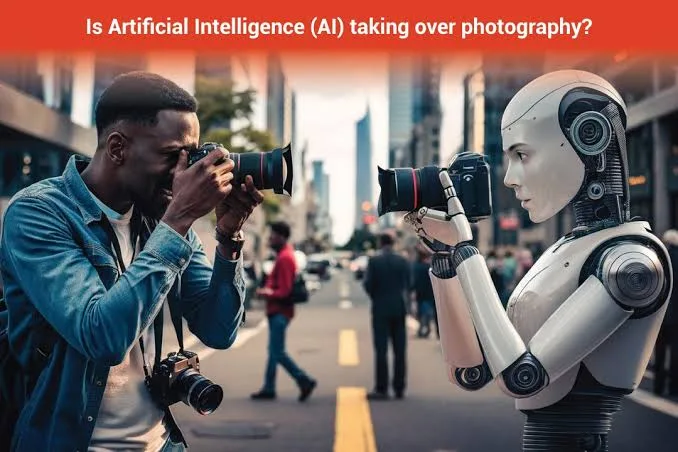
AI Photography for Product Brands: A Practical Guide
AI photography uses machine learning models to generate, edit, or enhance product images without a traditional photo shoot. For e-commerce and retail brands, it means you can take one real product photo and produce a full set of polished campaign visuals — different backgrounds, lighting, seasons, and formats — in a fraction of the time and cost.
This guide is written for product businesses that need consistent, on-brand visuals but can't book a studio every week. Below, we answer the practical questions that actually come up when you start using AI photography, from quality control to seasonal campaigns.
[IMAGE: Split-screen showing a plain smartphone photo of a skincare bottle on the left and a polished AI-generated lifestyle scene on the right]
What is AI photography and how does it work?
AI photography is the process of creating or transforming product images using generative AI models rather than a camera and physical set. You provide an input — usually a real product photo — and the model produces new versions with different scenes, lighting, angles, or styling.
Most tools work by understanding the shape, texture, and details of your product, then generating a fresh environment around it. The goal is to keep the actual product accurate while changing everything else around it, so a coffee bag can appear on a rustic kitchen counter, a marble surface, or a festive table.
This matters because the biggest cost in product photography is not the camera — it's the set, props, models, and time. AI photography removes most of that friction, which is why smaller brands can now produce visuals that used to require an agency.
When should product brands use AI photography instead of a real shoot?
Use AI photography when you need speed, volume, or variety — and use a traditional shoot when you need to establish the true look of a brand-new product. The two approaches work best together, not as rivals.
AI photography shines for scaling. Once you have one clean, accurate photo of a product, you can generate dozens of contextual variations: seasonal backdrops, different colour moods, or platform-specific crops without rebooking anything.
A physical shoot still makes sense for a hero launch where texture and true colour must be captured for the first time, or for complex products where fine detail is the selling point. Think of the real photo as your source of truth, and AI photography as the multiplier that turns it into a campaign.
The practical rule: shoot once, generate many. A single strong reference image can feed months of content.
How do you keep AI product images accurate and on-brand?
Start with a high-quality, well-lit input photo, because AI output quality follows input quality closely. A sharp, evenly lit reference gives the model accurate details to preserve, while a blurry photo forces it to guess.
Brand consistency comes from controlling three things: colour, tone, and composition. Feed your brand palette so backgrounds and accents match your identity, and keep a consistent style so your feed looks like one brand rather than a collection of random stock scenes.
This is where a purpose-built tool helps. With QuadraPost, you can upload a real product photo and generate editable image and video campaign options that use your brand colours and tone, so the output stays recognisably yours instead of generic.
Always review for product accuracy before publishing. Check that logos, labels, textures, and proportions are correct — AI can occasionally distort small text or fine detail, and a quick human check protects trust.
[IMAGE: Grid of four AI-generated variations of the same product bottle in different brand-coloured backgrounds]
How can you create seasonal and festival campaigns with AI photography?
AI photography makes seasonal marketing dramatically easier because you can re-dress the same product for any occasion without a new shoot. One reference image can become a summer, monsoon, back-to-school, or year-end holiday visual in minutes.
Retail runs on calendars. A gifting brand might need warm, festive scenes for a winter holiday season, bright fresh tones for a spring sale, and cosy indoor settings for colder months — all featuring the exact same product.
This flexibility is a real advantage for smaller teams. Instead of predicting every seasonal need months ahead and shooting for all of them at once, you generate visuals close to each campaign, staying responsive to trends and sudden promotions.
A practical workflow: keep one master product photo, then generate a themed set a few weeks before each major retail moment — festival sales, regional celebrations, or global shopping events — so your storefront and ads always feel current.
Which formats and channels should AI product images be made for?
Generate images sized for where they'll actually appear, because the same photo rarely works across every channel without adjustment. A wide banner for your homepage, a square post for a marketplace listing, and a vertical frame for stories or reels all need different compositions.
For social feeds, vertical and square formats dominate, and the product should sit clearly within the safe zone away from cropped edges. For product detail pages, cleaner backgrounds and consistent framing help shoppers compare items easily.
Video is increasingly essential. Short motion clips — a slow zoom, a background that shifts through seasons, or a product rotating in a styled scene — tend to earn more attention in feeds than a static image.
With QuadraPost you can produce both image and video campaign options from the same product photo, so a single upload covers your storefront, ads, and social channels without starting from scratch each time.
[IMAGE: Same product shown in three formats side by side — wide banner, square marketplace tile, and vertical story frame]
What are common mistakes to avoid with AI photography?
The most common mistake is publishing without checking product accuracy, which can quietly erode customer trust. If the AI alters a label or changes a colour, the item that arrives won't match the picture, leading to returns and complaints.
Another frequent error is generating scenes that look impressive but ignore the shopping context. A moody, artistic background might win compliments but hurt conversions if it hides the product or confuses the shopper about what they're buying.
Overuse of trendy effects is a third pitfall. Chasing every visual trend makes a brand feel inconsistent; a steady, recognisable style builds more long-term trust than a feed full of unrelated experiments.
Finally, don't skip the human editing pass. AI gives you a strong starting point, but the best results come from generating options and then refining the one that fits your message — which is why editable output matters more than a locked, one-shot image.
How much does AI photography cost compared to traditional shoots?
AI photography is generally far cheaper per image than a traditional shoot, because it removes studio hire, props, models, travel, and post-production time. Instead of paying for a full production day, you pay for tool access and your own review time.
The savings are hard to state as a fixed number because traditional costs vary enormously by market, product category, and ambition. A simple home shoot costs little; a professional agency campaign costs a great deal — AI sits well below the agency end while producing more variety.
The more valuable saving is often time, not money. Being able to react to a sale, a trend, or a stock update the same day — rather than waiting weeks for a shoot — has real commercial value for a growing brand.
That said, AI photography doesn't replace every need. Budget for at least one strong real photo per product as your source of truth, then treat AI as the efficient way to scale that investment across your whole calendar.
Bring your product campaigns to life
Upload a real product photo and generate editable image and video campaign options in your brand colours and tone with QuadraPost. Start your free trial and create your first campaign today.
FAQ
Can AI photography use my actual product photo?
Yes. The best results come from uploading a real, well-lit photo of your product, which the AI uses as a source of truth to keep details accurate while generating new backgrounds, lighting, and scenes around it.
Is AI photography good enough for e-commerce product pages?
It can be, as long as you review each image for product accuracy. Use clean, clear compositions for detail pages so shoppers can see the product properly, and reserve more stylised scenes for ads and social feeds.
Does AI photography replace professional photographers?
Not entirely. A real shoot is still valuable for capturing the true look of a new product, while AI photography is best for scaling that one reference image into many seasonal, format-specific, and campaign variations quickly and affordably.
How do I keep AI-generated images consistent with my brand?
Feed your brand palette and a consistent style, then review output before publishing. Tools that let you set brand colours and tone and edit the results help ensure every image looks like it belongs to the same brand.