AI Photo Editor Online Free: A Practical Guide
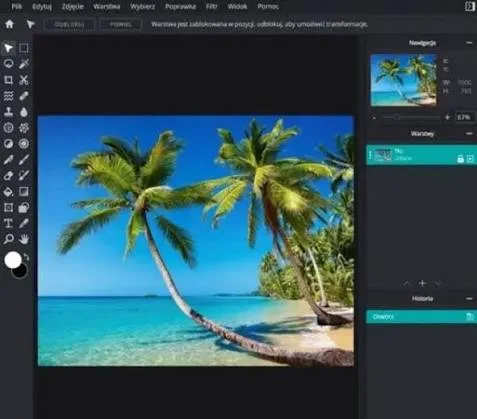
If you sell products online, you already know that a sharp, clean photo often decides whether someone taps "add to cart" or scrolls past. The good news: you no longer need a studio, a photographer, or expensive software to get there. A free AI photo editor online can handle most of the heavy lifting, and this guide walks through exactly how to use one without wasting time or money.
We'll cover what these tools actually do well, where they fall short, and how to turn a single phone snapshot into images you can confidently post across your store and social channels.
[IMAGE: Before-and-after split of a cluttered home product photo transformed into a clean studio-style product shot]
What is an AI photo editor online free, and how does it work?
An AI photo editor online free is a browser-based tool that uses machine learning to edit images automatically — removing backgrounds, enhancing lighting, upscaling resolution, and more — without downloading software. You upload a photo, pick an action, and the tool returns an edited version in seconds.
The "AI" part matters because older editors required you to manually trace outlines or adjust sliders. Modern tools recognise what a product is, separate it from its surroundings, and make corrections that used to take a skilled designer several minutes.
Most free tiers run entirely in your browser, so you can edit from a laptop in a back office or a phone on the shop floor. That flexibility is useful during busy retail periods when you're photographing new stock between serving customers.
What can a free AI photo editor actually do for product photos?
A free AI photo editor can remove or replace backgrounds, brighten dull photos, sharpen blurry shots, and resize images for different platforms. These four tasks cover the majority of what small e-commerce and retail brands need day to day.
Background removal is the most common request. A plain white or soft neutral background makes a product look professional and keeps attention on the item, which is why marketplaces often require it.
Lighting and colour correction is the second big win. Products shot under warm shop lighting often look yellow or muddy, and an AI editor can rebalance the tones so the real colour of a fabric, food item, or gadget comes through accurately.
Resizing and reformatting rounds out the list. A square image for a product grid, a vertical crop for Stories and Reels, and a wide banner for your homepage are three different shapes — and a good editor generates all three from one source.
[IMAGE: Same product shown in three aspect ratios — square catalogue tile, vertical social story, and wide website banner]
How do you edit a product photo step by step?
Start with the best raw photo you can take, then run it through the editor in a clear order: clean the background first, fix lighting, then crop and export. Working in this sequence avoids re-doing steps.
First, shoot smart. Place the product near a window for soft natural light, wipe away dust and fingerprints, and keep the background as plain as you can. The AI does more with a decent starting photo than with a dark, cluttered one.
Second, remove or replace the background. If you sell on multiple platforms, a clean white version is your safe default, and a lifestyle background (a wooden table, a neutral wall) adds warmth for social posts.
Third, correct exposure and colour so the product looks true to life. Over-editing is a common mistake — aim for "accurate" rather than "dramatic," because misleading colours lead to returns.
Finally, export in the right sizes and file types. Use JPG for most product shots and PNG when you need a transparent background for banners or collages.
When should you use AI editing versus a real photographer?
Use AI editing for routine catalogue work, quick refreshes, and social content; hire a photographer for hero campaigns and complex scenes. The two aren't rivals — most brands blend them based on budget and importance.
AI is ideal when you have dozens of SKUs to list, limited time, and no studio. It keeps your catalogue consistent and lets you update images whenever stock or packaging changes.
A human photographer still wins for flagship launches, detailed texture work (think jewellery or textiles), and ambitious set designs where mood and styling carry the brand. If one image will represent your whole season, it may be worth the investment.
For everything in between — seasonal promos, festival collections, marketplace listings — AI editing is usually fast and good enough, freeing your budget for the moments that truly need a photographer.
How do you create full ad campaigns, not just edited photos?
To move from a single edited photo to a full campaign, you need consistent backgrounds, on-brand colours, matching text styles, and versions sized for every channel. A basic editor cleans one image; a campaign tool generates a coordinated set.
This is where the workflow shifts from editing to creating. A festival sale, for example, might need a feed post, a Story, a WhatsApp-shareable image, and a website banner — all recognisably part of the same promotion.
[IMAGE: Coordinated festival sale campaign set in matching brand colours — feed post, story, and banner variations]
This is also where QuadraPost fits naturally. You upload a real product photo, and it generates editable image and video campaign options that use your brand colours and tone — so a single shot becomes a ready-to-publish set rather than one lonely picture.
The practical benefit is consistency. When every asset shares the same palette and feel, your brand looks deliberate across the feed, the storefront, and the chat apps where customers actually share deals.
How do you keep AI-edited images looking authentic?
Keep images authentic by matching the real product, avoiding over-smoothing, and using backgrounds that suit your brand rather than generic stock scenes. Shoppers trust images that look honest, and returns rise when photos oversell.
Always check colour accuracy against the physical item. A deep maroon that renders as bright red, or a cream that looks stark white, sets up disappointment and complaints.
Resist the urge to erase every imperfection on natural products. Handmade, artisanal, and food items benefit from showing real texture — flawless perfection can read as fake or mass-produced.
Choose backgrounds that reflect how the product is used. A kitchen gadget looks right on a countertop; a party outfit suits a festive, warmly lit setting. Context helps shoppers picture owning it.
What should you watch out for with free AI editors?
Watch for hidden limits: watermarks, low-resolution exports, usage caps, and restrictions on commercial use. "Free" often means a trial tier, so read what you actually get before building a workflow around it.
Resolution is the biggest trap. Some tools preview a crisp image but only export a small, blurry version unless you upgrade — useless for website banners or print.
Commercial-use rights also matter. A few free tools restrict output to personal use, which is a problem if you're selling products. Check the terms so you're not caught out.
Finally, mind your data. Upload product photos to reputable tools, and avoid putting anything sensitive — like customer images or unreleased designs — into services you don't trust.
[IMAGE: Checklist graphic showing export resolution, watermark, commercial-use rights, and data privacy icons]
Putting it all together
A free AI photo editor online removes most of the old barriers to professional-looking product images. Start with a clean photo, edit in a logical order, keep things honest, and reserve a photographer for your biggest moments.
When you're ready to go beyond single edits and build cohesive campaigns across every channel, the right tool turns one photo into a whole set — saving hours during your busiest sales seasons.
Ready to turn one product photo into a full campaign?
Upload a real product photo and generate editable image and video campaign options in your brand colours and tone. Start your free trial on QuadraPost and create your first campaign today.
FAQ
Is an AI photo editor online free really free to use?
Many offer a genuine free tier, but it often comes with limits like watermarks, lower-resolution exports, or caps on how many images you can edit. Check the terms — especially commercial-use rights — before building your store's workflow around one.
Can a free AI photo editor remove backgrounds from product photos?
Yes. Background removal is one of the most reliable features in modern AI editors. You can replace a cluttered setting with a clean white background for marketplaces or a lifestyle scene for social posts, usually in a few seconds.
Will AI-edited photos look fake or lower my sales?
Not if you edit responsibly. Keep colours accurate to the real product, avoid over-smoothing natural textures, and pick backgrounds that suit how the item is used. Honest, consistent images build trust and tend to reduce returns.
Can I create full ad campaigns instead of just editing one photo?
Yes, with the right tool. Instead of editing a single image, campaign tools like QuadraPost let you upload one product photo and generate a coordinated set of editable image and video assets sized for your feed, stories, chat apps, and website.